デザインコンテキストの精度が、
エージェントとの仕事を決めるThe precision of your design context
decides the outcome
Agentic workflows and the MCP — Figma
けれど、明晰さ——何をなぜつくるかの見極めは、速くならない。
その明晰さをAIに預けてしまうと、残るのは
表面だけ磨かれた、中身の薄いもの。
——だから、入り口の「意図」を自分で研ぐことから始める。AI speeds up execution.
But clarity — seeing what to make, and why — doesn't get faster.
Hand that clarity to AI, and what's left is
polished on the surface, thin underneath.
So you start by sharpening the intent yourself — right at the entrance.
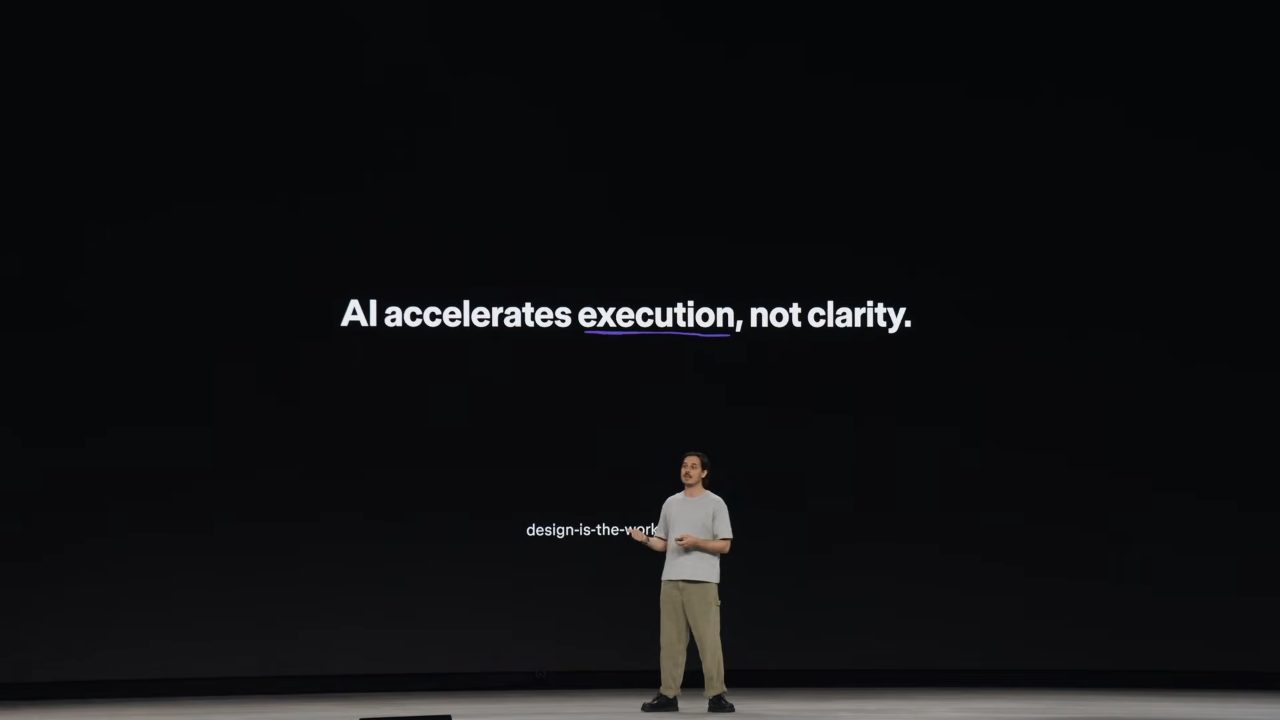
* この視聴メモは、登壇者が全部ペンツールで手描きしたスライドの世界観に寄せて組んでみた。* These notes are laid out to echo the speaker's slides — all hand-drawn with the pen tool.
「明け渡す」か、「熟慮する」かTo surrender, or to deliberate
この講演は、道具ではなく 態度 の話。登壇者自身、この準備で「何を話すか」の判断までLLMに預けてしまい、トークンと時間を溶かして、先週まるごと構成をやり直したという。自分の失敗から始める、静かな入り方だった。This talk is about stance, not tools. Preparing it, the speaker even handed the "what do I say" call to an LLM — burned through tokens and time, and redid the whole structure last week. A quiet way in: starting from his own misstep.
Cognitive Surrender
LLMの判断を、自分の判断にしてしまう。検証の手間も、独自の視点をつくる労力も、手放せる。でも 責任まで、一緒に手放している。You let the LLM's judgment become your own. The work of checking, the effort of forming your own view — all of it, off your hands. But you're letting go of the responsibility, too.
Consideration Imperative
工程の 入り口で意図を研ぐ ことを、自分に課す。前工程の明晰さこそが、エージェントとの仕事を実らせる。You hold yourself to sharpening intent before anything else moves. That clarity up front is what lets work with agents bear fruit.
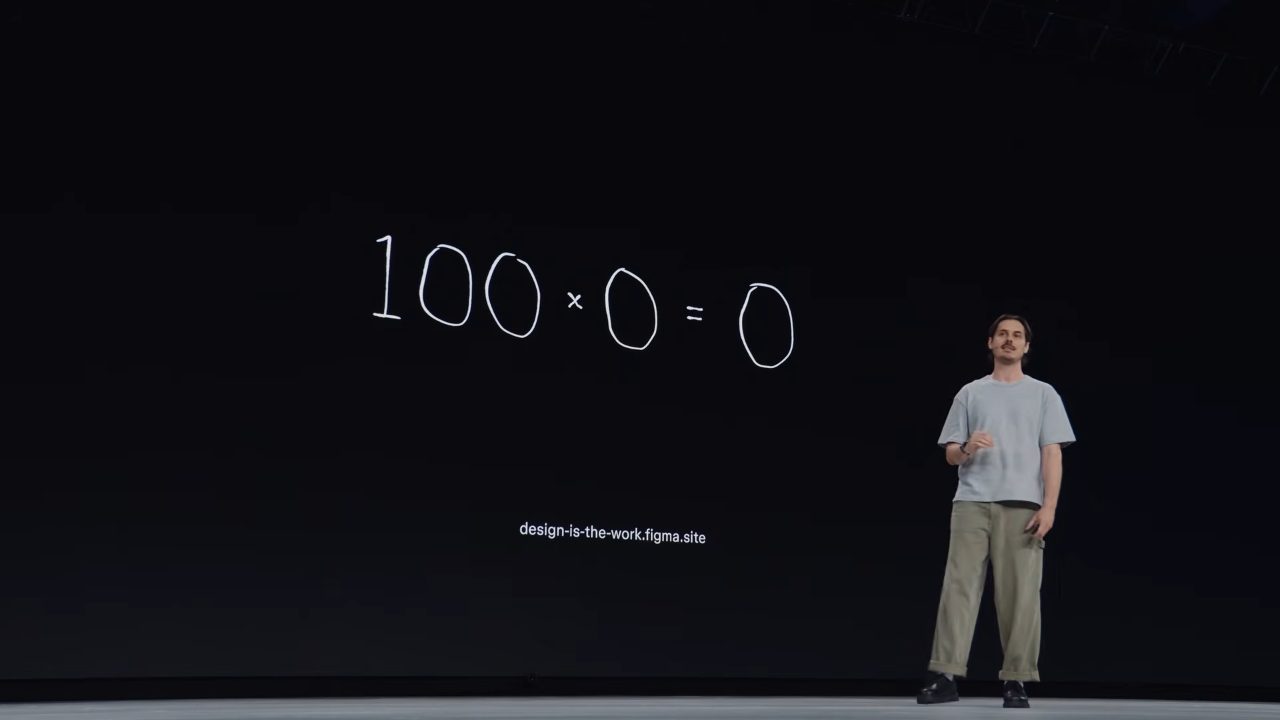
「AIで生産性が100倍になる」と言うけれど、入り口の明晰さがゼロなら × ゼロ。何を掛けても、ゼロ。People say "AI makes you 100× more productive" — but if the clarity going in is zero, it's × zero. Anything times zero is zero.
わたしたちは「磨き=熟慮の証し」だと、信じるよう慣らされてきた。 かつては、その完成度に至るまでに判断が必要だった。でもLLMは、文脈を与えなければ、平均の上に「磨き」だけを乗せる。表面は完成し、中身は抜け落ちる。We've been trained to read polish as proof of thought. Once, reaching that finish took judgment. But give an LLM no context, and it lays "polish" over the average — the surface complete, the substance gone.
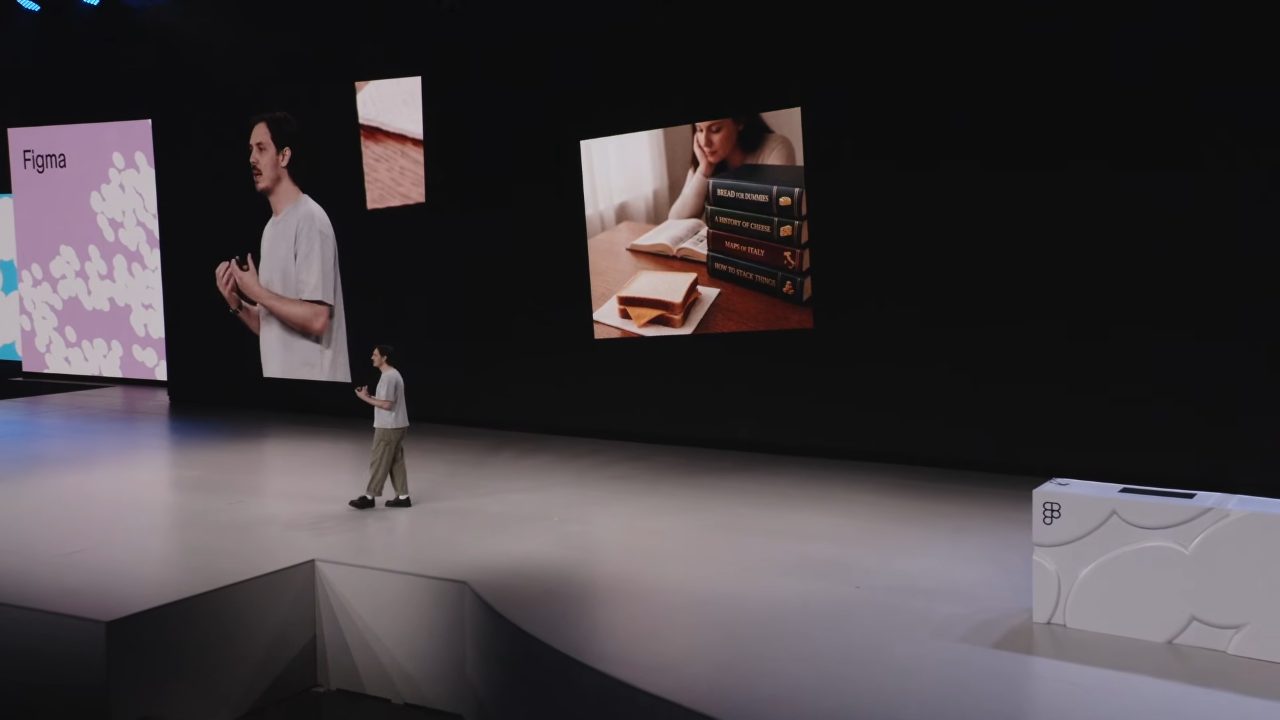
パンの百科事典(大量の生資料)を渡すな。For "make me a cheese sandwich," don't hand over
an encyclopedia of bread (a pile of raw material).
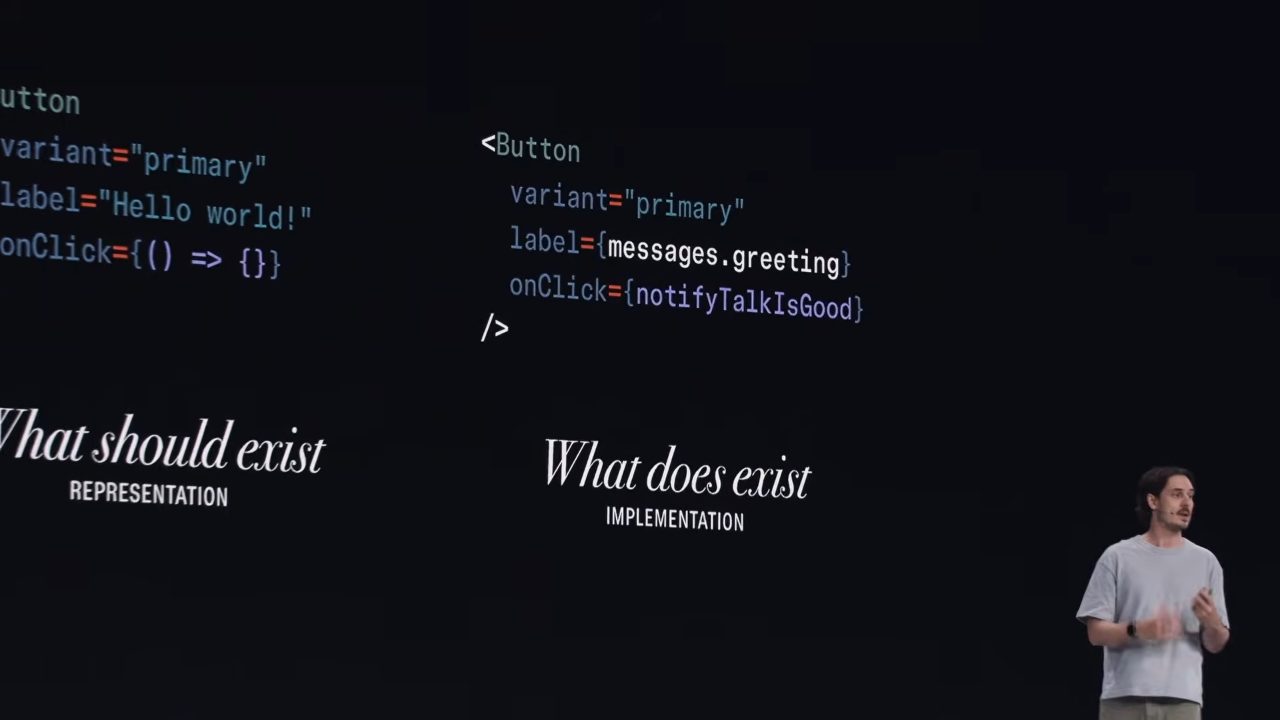
「パン・チーズ・パン、挟んで」——構造にして最小限だけ渡せばいい。多いほどいいのではない。絞り込みと構造こそが精度をつくる。この「構造化された最小の文脈」を、Figmaでは Code Connect(デザイン部品と実コードの対応を機械可読で結ぶ仕組み)が担う、と登壇者は説明していた。"Bread, cheese, bread — assemble." — Give it structure, and only the minimum. More isn't better. It's narrowing and structure that create the precision. In Figma, the speaker explained, Code Connect (a machine-readable link between design parts and real code) carries this "structured minimum context."
手を動かす人として、覚えておきたい5点5 things to remember, as someone who makes
- 1
精密な文脈は、コードを減らすPrecise context means less codeprecise context
曖昧な指示は、AIに余分なコードを書かせる。精密な文脈を渡すと、生成される総コードはむしろ減る。AIへの依存を減らしてなお、結果は良くなる。書かれてしまった余分なコードこそが、登壇者の言う"技術的負債"だった。Vague instructions make AI write extra code. Give it precise context, and the total code generated actually shrinks. You lean on AI less, and the result still gets better. That extra code is exactly what the speaker meant by "technical debt."
- 2
デザインは、プレビューではなく 仕様書Design isn't a preview — it's a specdesign as specification
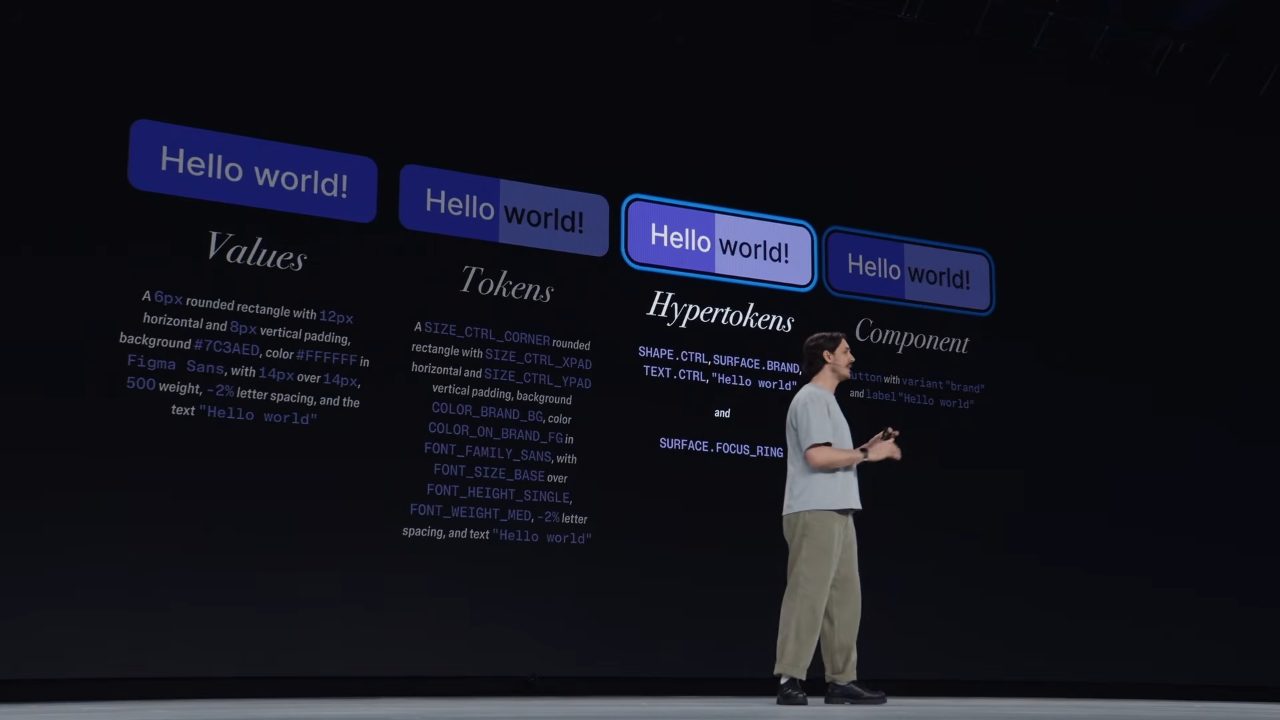
生の値→トークン→再利用可能な部品と抽象化するほど、短い記述に設計意図が凝縮される。名前ひとつがたくさんの判断を運ぶ。デザインシステムは、エージェントに意図を渡す「精密な言語」になる。The more you abstract — raw values → tokens → reusable components — the more design intent condenses into a short description. A single name carries many decisions. The design system becomes a "precise language" for handing intent to agents.
- 3
ハイパートークン(意味のまとまりを一語で呼ぶ層)Hyper tokens (a layer that names a bundle of meaning in one word)hyper tokens — a glimpse ahead
見た目のかたまり(余白・色・文字など)を、毎回こまかく指定せず、名前ひとつで呼べるようにする層。その定義を1か所にまとめておけば、Figmaにもコードにも同じ形で展開できる——という構想。A layer that lets you call a visual bundle (spacing, color, type, and so on) by a single name instead of spelling it out each time. Keep the definition in one place, and it can unfold the same way into both Figma and code — that's the idea.
- 4
スキルは人を置き換えず、専門性を「配って回す」Skills don't replace people — they distribute expertiseskills deploy expertise
エージェント用の指示書(スキル)を人が手で書き直すのは、圧縮されたコードをいじるようで大変。だから人は「元ネタ」だけ持ち、指示書に変換するのはエージェントに任せる。しかも、使うエージェントごとに最適な形で作らせる。Rewriting an agent's instruction sheet (a skill) by hand is like editing compressed code — hard going. So you keep just the "source," and leave the conversion into instructions to the agent. And each agent builds it in whatever shape suits it best.
- 5
FigJam を「エージェントとやり取りする作業台」にするMake FigJam a workbench for working with agentsFigJam as interface
キャンバスに可視化すると、自分が何を頼んでいるかを意識できて、文脈が明晰になる。計画を書き出し、人がレビュー・修正してから走らせる。Once it's visible on the canvas, you see what you're actually asking, and the context comes into focus. Write the plan out; a human reviews and fixes it before it runs.
計画を 人が直してから、走らせるLet a human fix the plan first, then run it
点5の「FigJamを対話面に」は、スライドでも実際のFigJamボードで見せていた。プロンプトを読ませ、Figmaとコードベースで作業させ、結果をFigJamに書き戻す。大きなタスクはサブエージェントの計画に分け、その計画を人が読んで直してから、走らせる。Point 5 — "FigJam as the surface for dialogue" — he showed on an actual FigJam board, not just a slide. It reads the prompt, works across Figma and the codebase, and writes the result back to FigJam. Big tasks get split into sub-agent plans, and a human reads and fixes the plan before it runs.
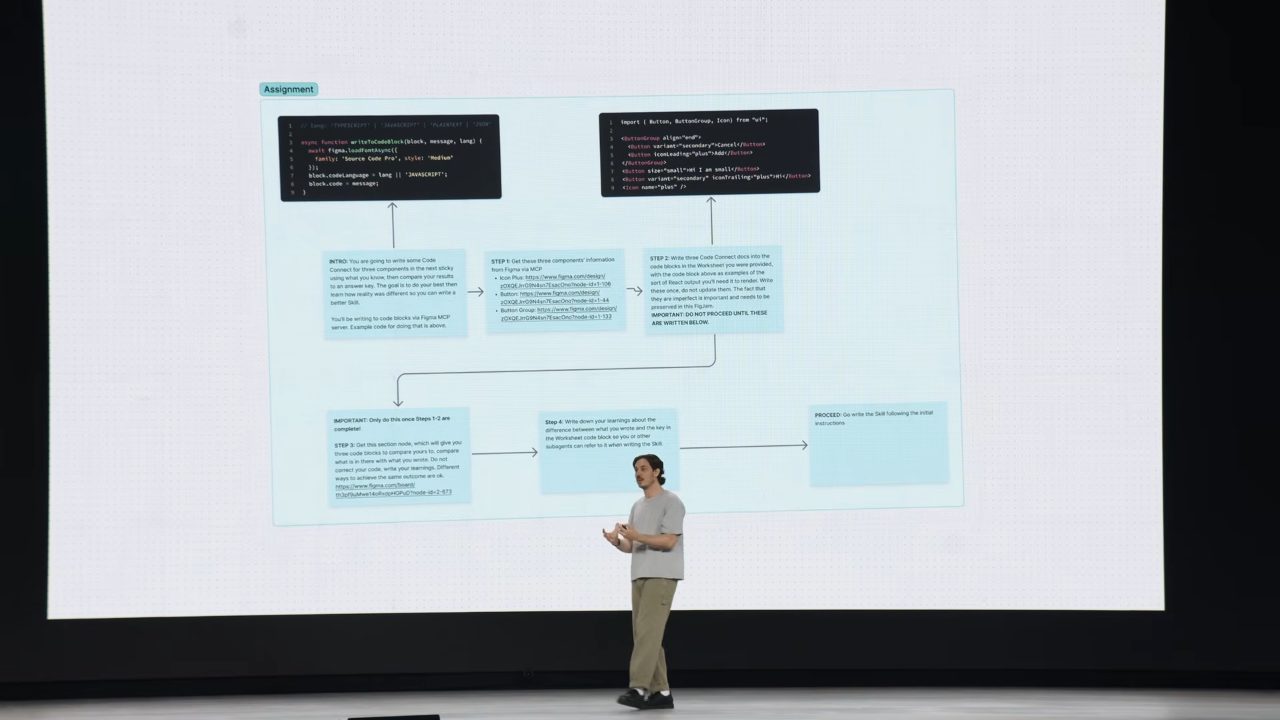
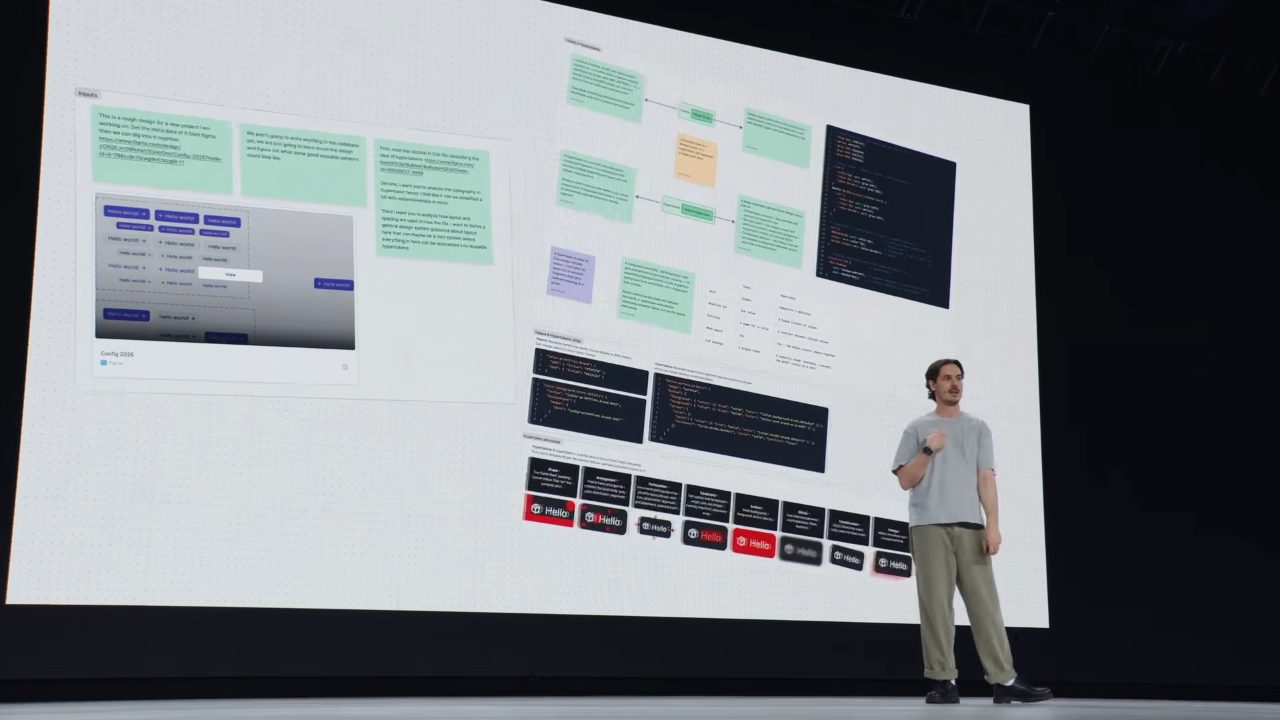
全部を任せる(=明け渡し)でもなく、全部を手で抱えるでもない。その、あいだ。 この講演で、一番実践に近いヒント。Not handing it all off (= surrender), nor holding it all by hand. The in-between. The most practical hint in this whole talk.
一晩で、想像を現実へImagination to reality, in one night
8年半つづけてきた個人プロジェクト(音を、画像にエンコードする)を、Figmaのプラットフォームだけで、一晩でインタラクティブなサイトにした。An eight-and-a-half-year personal project (encoding sound into images) — he turned it into an interactive site in a single night, using only Figma's platform.
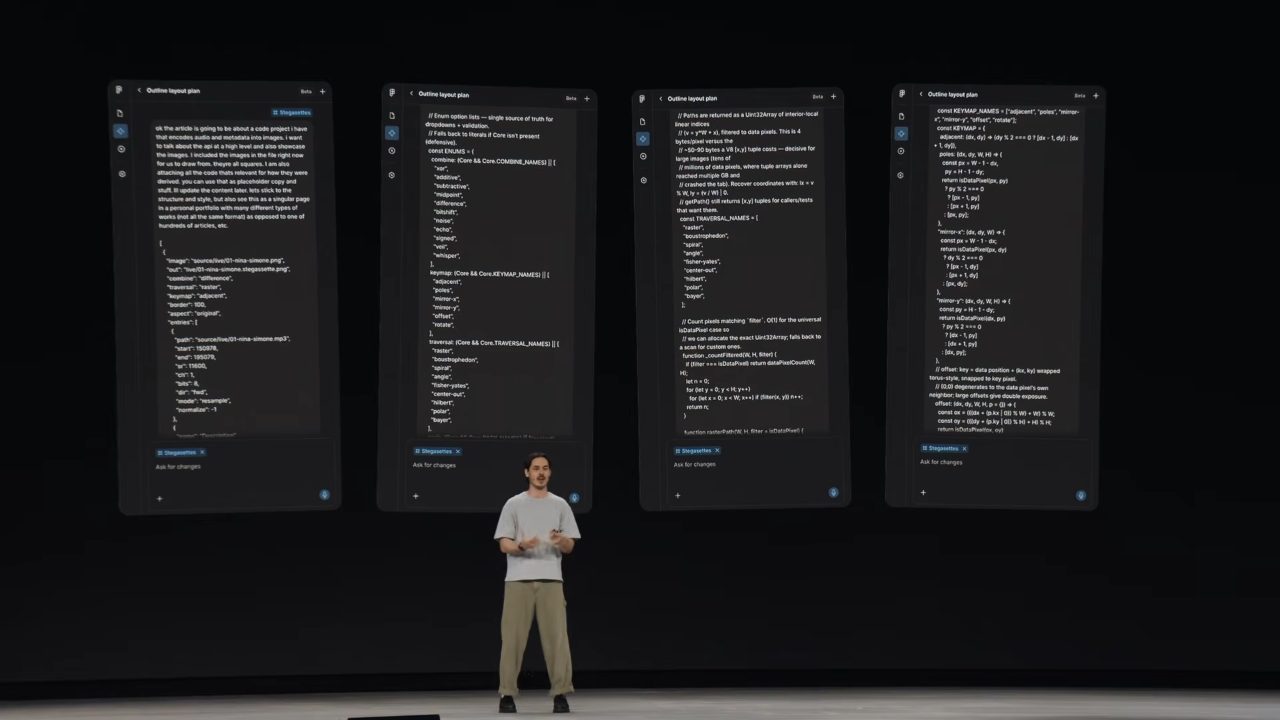
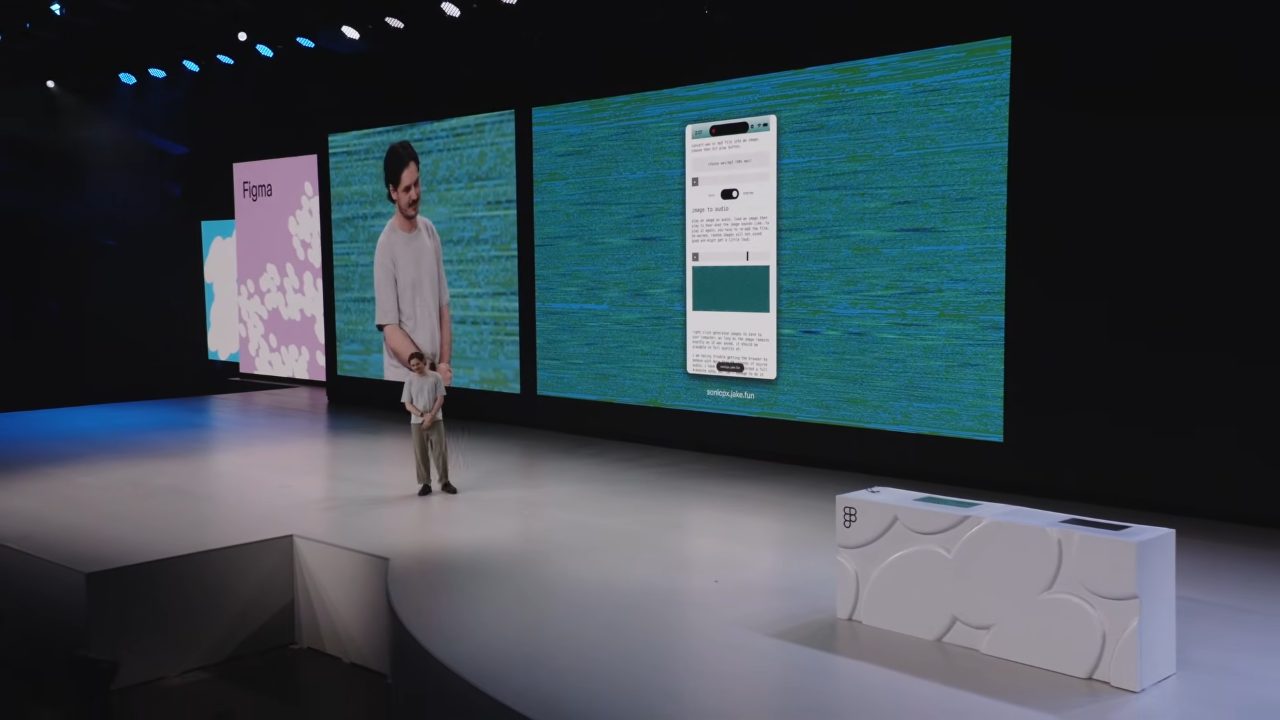
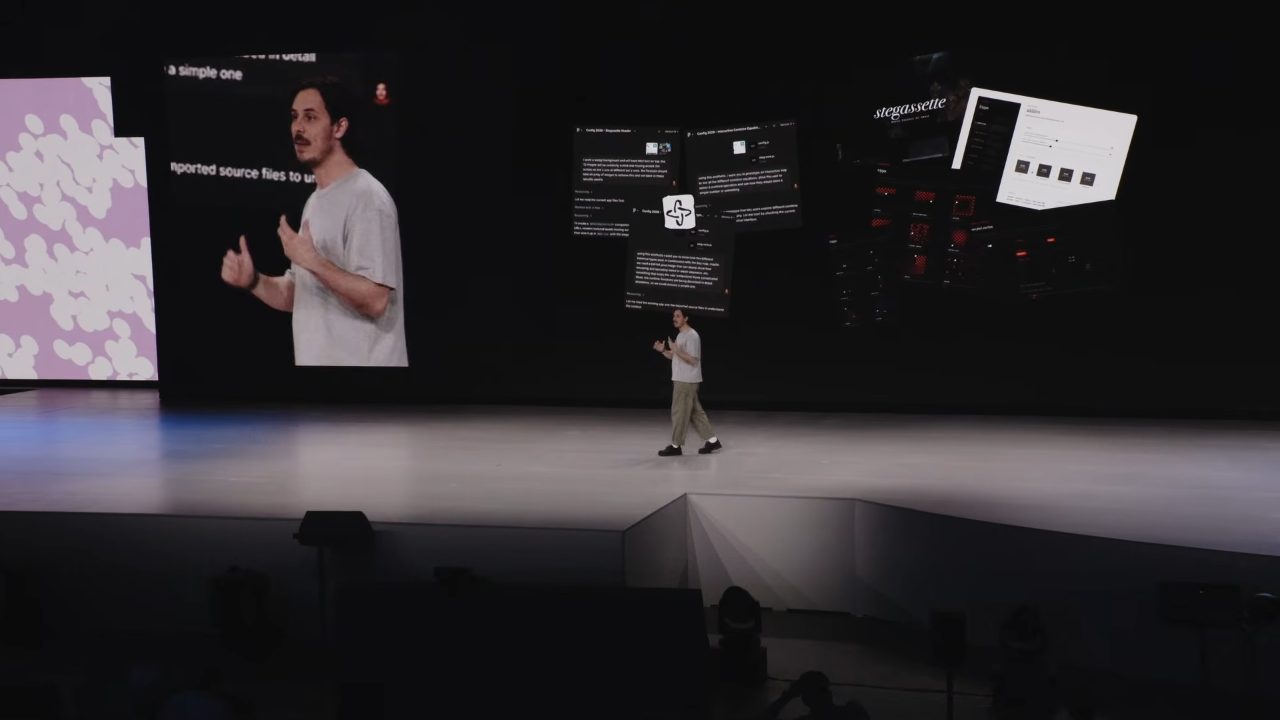
わたしたちの「つくり続ける」仕事観と、地続きだったIt connected straight to our own sense of the work — making, and going on making
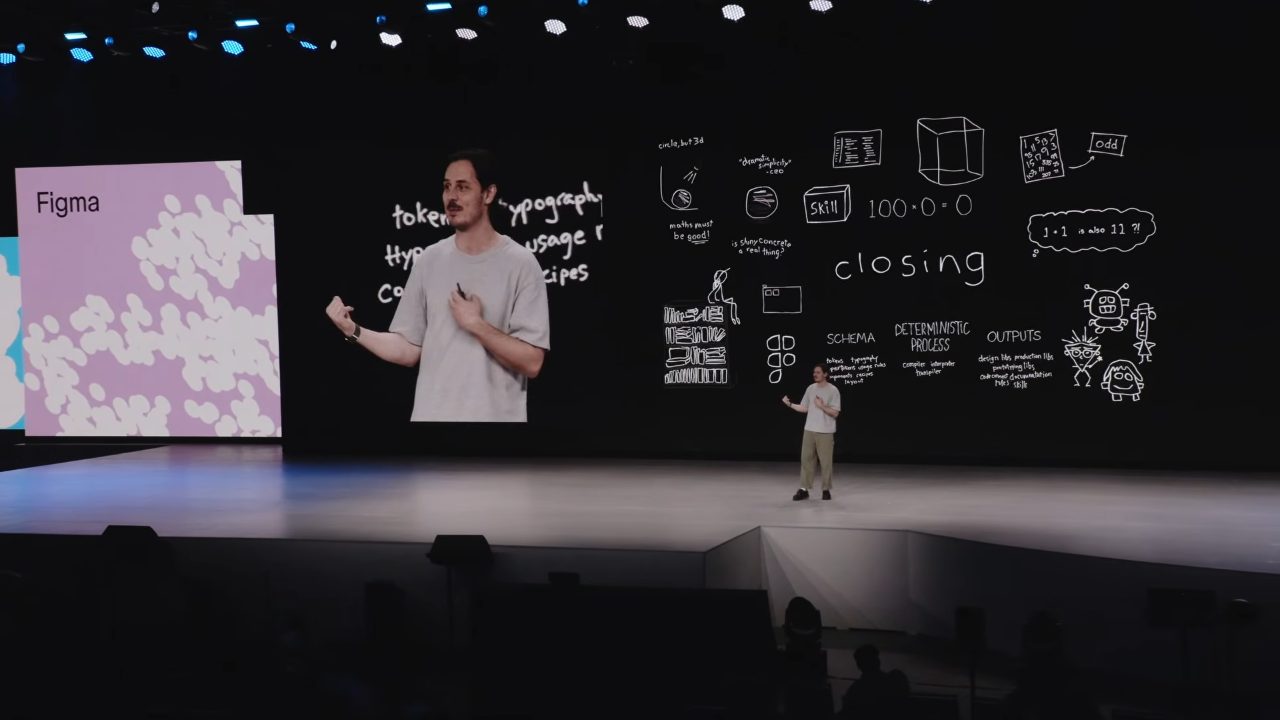
つまり、一度つくって終わりではなく、あとも保てる形にすること。
磨きは、速く手に入る。
でも、考え抜いた跡は——
誰かが引き受けないと残らない。Less about making. More about lasting.
Meaning: not made once and done, but shaped so it holds afterward.
Polish comes fast.
But the trace of having thought it through—
won't remain unless someone takes it on.
AIは、実行を速くする。でも、何をつくるべきかを研ぐ手前の "意図" ——そこだけは、速くならない。この講演が繰り返し指していたのは、責任を負う先が、成果物の表面ではなく、その手前にある、ということだった。AI speeds up execution. But the "intent" that comes before honing what to make — that alone doesn't get faster. What this talk kept pointing to: the place where responsibility lands is not the surface of the deliverable, but the ground before it.
AIで「つくる」が安くなるほど、価値は 「何をつくるべきかを研ぎ、つくったあとも続く形にする」 側へ移っていく。速さの話に埋もれて聞こえにくいけれど、この一本が言いたかったのは、たぶんそこだ。The cheaper AI makes "making," the more value shifts toward "honing what to make, and shaping it to last after it's made." It's easy to lose under all the talk of speed, but that, I think, is what this one talk wanted to say.
自分の手元でも、試してみたいこと——Things I want to try for myself —
- LLMに投げる前に、まず「意図を仕様にする」(spec駆動)Before throwing it to an LLM, first "turn intent into a spec" (spec-driven)
- スキルやプロンプトは、源をひとつ持って、そこから生成・更新するKeep one source for skills and prompts, and generate and update from there
- エージェントにいきなり実行させず、まず計画を出させ、確認・修正してから動かす(=判断を手放さない)Don't let the agent just run — have it produce a plan first, check and fix it, then set it going (= don't let go of the judgment)